Click-to-WhatsApp Ads for Salons: Simple Setup Guide
Run Instagram/Facebook ads that open WhatsApp. Clients message you directly. Book them automatically. Here's how.
What This Is
You run an Instagram or Facebook ad. Instead of a website, clicking opens WhatsApp with a message to your business.
Why it works: One tap from "interested" to "messaging you." No forms. No friction.
Quick Setup
Prerequisites
- WhatsApp Business app (free)
- Facebook Business Page
- WhatsApp connected to your Page (Page Settings → Linked Accounts → WhatsApp)
Create the Ad
- Go to business.facebook.com → Ads Manager → Create
- Goal: Engagement
- Type: Messaging → WhatsApp
- Set targeting (your city + 10-15 miles, client age range, beauty/wellness interests)
- Add your image/video and text
- Publish
What Makes a Good Ad
Image: Before/afters work great. Real photos, not stock.
Text: Keep it short.
"Spring appointments booking now. Message us to grab your spot."
That's enough.
Targeting: Start narrow (your city, your typical client demographics). Expand later if needed.
The Math
| Metric | Typical Range |
|---|---|
| Cost per message | $0.50-2.00 |
| Messages → bookings | 20-40% |
| Average booking | $75-150 |
Example: $10/day → 5-10 messages → 2-4 bookings → $150-600 revenue
Solid ROI.
The Speed Problem
When someone clicks your ad, they're interested now. Every minute you don't respond, interest fades.
If you can respond within 5 minutes: great.
If you can't: you need automation.
The Automation Advantage
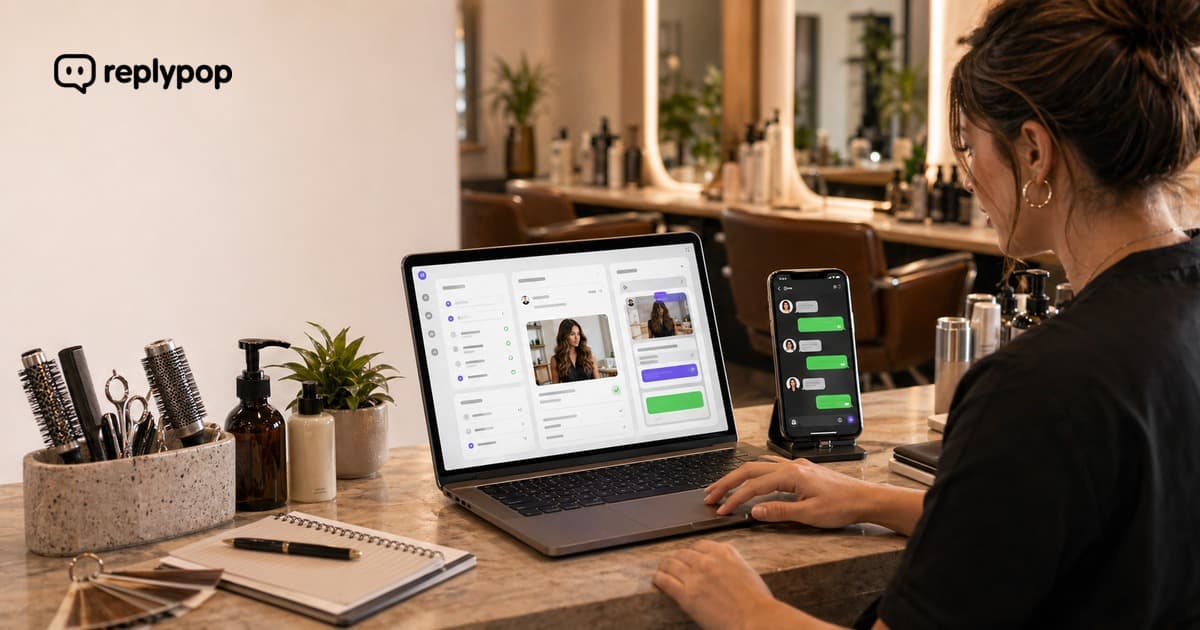
Here's what changes when you combine Click-to-WhatsApp ads with a platform like Replypop:
| Without Automation | With Automation |
|---|---|
| You respond manually (when you can) | AI responds instantly, 24/7 |
| Lead waits for availability info | AI shows available times immediately |
| You book them into calendar | Client books directly in chat |
| Some leads go cold | Booking happens before interest fades |
Ads run at midnight. AI books at midnight. You wake up to new appointments.
Quick Wins
Start small: $5-10/day is enough to test.
Test images: Run 2-3 versions. Keep the winner.
Track conversions: Not all messages become bookings. Know your numbers.
Respond fast: Or automate.
Simple Version
- Connect WhatsApp to Facebook Page
- Create ad: Engagement → Messaging → WhatsApp
- Target your area + ideal clients
- Good before/after photo
- Simple copy
- $5-10/day to start
- Respond fast (or automate)
The Full Loop
When you have:
- Click-to-WhatsApp ads driving traffic
- AI handling conversations 24/7
- Booking happening directly in chat
- All messages in one unified inbox
You've built a client acquisition machine that runs without you.
Need help setting up your first campaign? Message us.
Questions or feedback? Reach out anytime
Continue Reading
Why You Can't Message That Customer Back (The WhatsApp 24-Hour Window Explained)
Frustrated that you can't reply to a customer on WhatsApp? Learn about Meta's 24-hour messaging window, why it exists, and what you can do about it.
SMS vs WhatsApp for Business: Which Should Your Spa or Salon Use in 2025?
A practical comparison of SMS and WhatsApp for appointment reminders, booking confirmations, and customer communication. Learn which channel works best for your service business.
10 Best Respond.io Alternatives in 2026 (Compared by Pricing and Features)
Looking for a Respond.io alternative? We compared 10 platforms side by side, from budget options to enterprise tools, with real pricing and honest trade-offs.